Explainer videos
Explainer videos that draw themselves as you tell them
For class, for your business or for your channel: the drawings, the arrows and the sentences appear in the order you explain them, written by hand.
- No watermarks
- Your photos never leave your device
- Cancel anytime
What you can do
An explanation that lands because you see it being made
An explainer video works when each idea appears just as it is named. In Abracadraw you place the pieces on the canvas, a drawing, an arrow, a sentence or a photo of your product, and put them in order: the hand draws them one after another, with the time and the pause you give each one.
Use it for a class lesson, a step-by-step tutorial, a project presentation, a shop ad or your channel intro. There are 500+ ready-made drawings, among them a teacher at the board, trades, a piggy bank and coins, light bulbs, magnifying glasses, arrows and speech bubbles, plus twelve handwritten fonts.
The videos are yours and you can use them commercially, library drawings included and without watermarks. They come out silent, so the voice or the music is added in your usual video editor, or when you upload to YouTube, Reels or TikTok.
Step by step
How it's done, in three steps
- 01
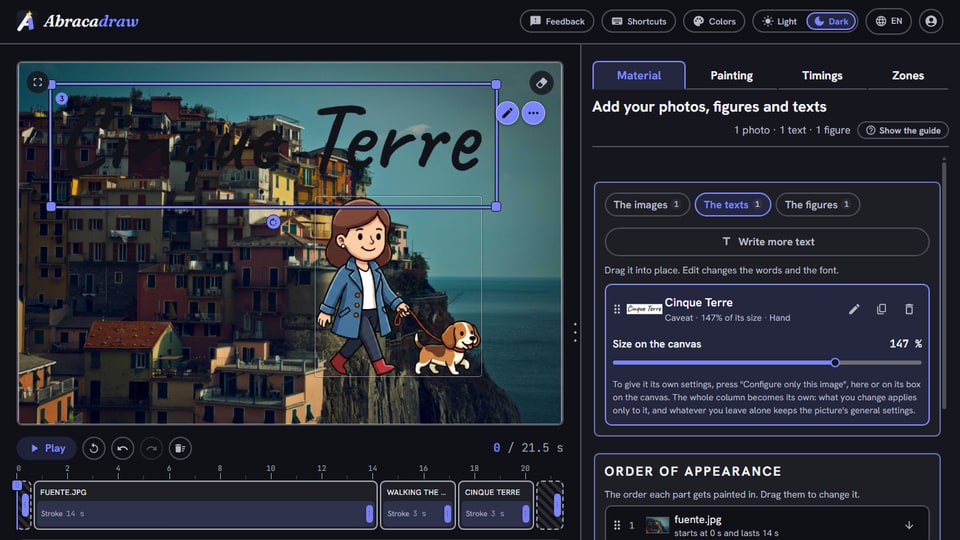
Add the pieces of your explanation
Drawings from the library, your sentences and, if you like, photos of your product.
- 02
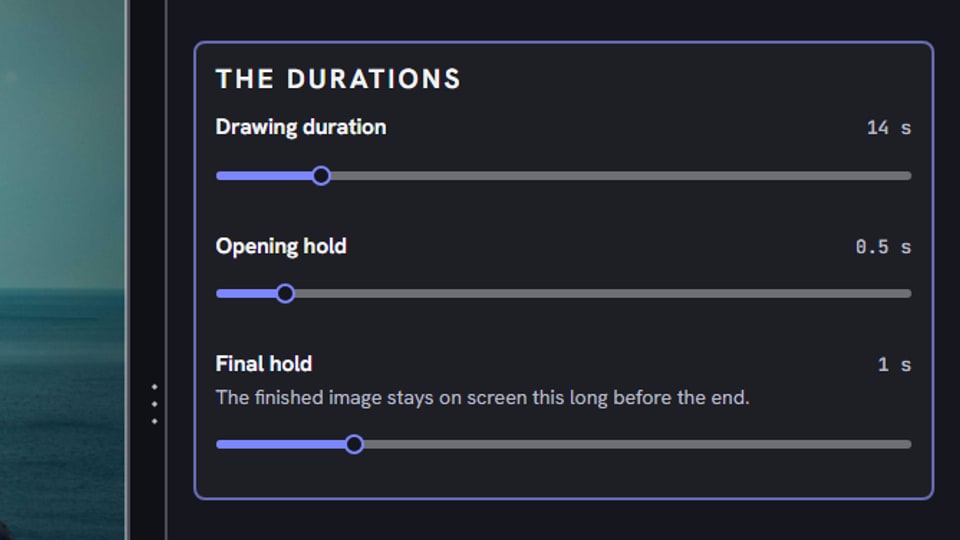
Order them and set the timing
Decide what comes first, how long each part takes and where there is a pause.
- 03
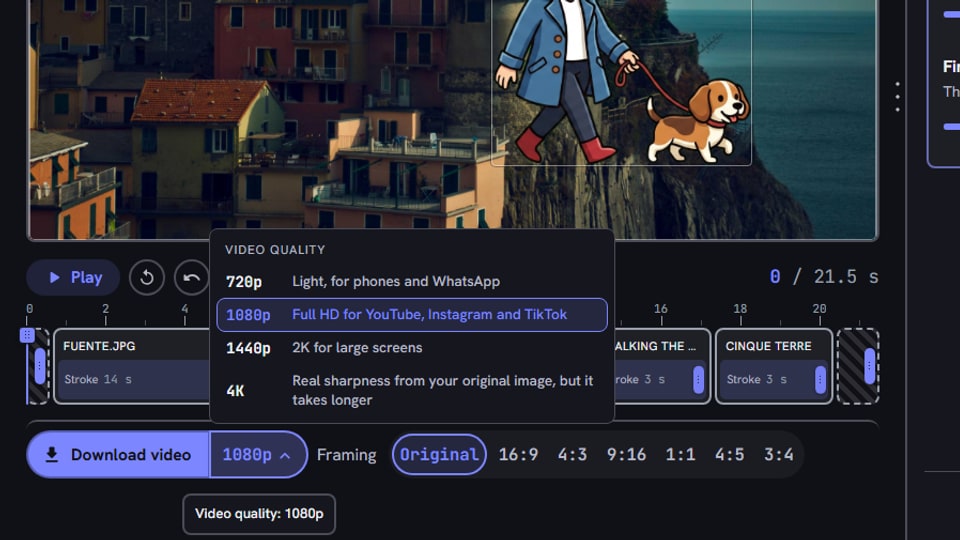
Download it and add your voice
Download the MP4 in up to 4K and add the voice or the music in your editor.
More examples like this
Explanations made with the app.
A small-business announcement
The shop, the courier with his speech bubble and the address with the opening hours, handwritten.
A channel intro
Your photo in pencil, the channel name handwritten and an arrow pointing at subscribe.
Bull vs. bear
The stock market in one frame, with the bull and its arrow going up and the bear with the one going down.
Frequently asked questions
Can I use it to teach?
Yes. You can make a lesson or a tutorial on a green chalkboard or on white, with the teacher from the library, arrows and sentences written by hand in the order of the explanation, and project it or share it with your students.
Can I add my voice?
The video comes out silent. Record the voice separately and put them together in a minute in any editor, like CapCut, iMovie or DaVinci, adjusting each part's timing to match what you say.
Can I use it for my business?
Yes. The videos you make are yours, and the library drawings can be used inside them, also in ads, on your website or in client work, without watermarks or crediting us.
Can I animate my logo at the start or the end?
Yes. Upload your logo as an image, ideally a PNG with a transparent background, and the hand traces it and paints it, or the chisel carves it, as the intro or outro of the video, with your slogan written by hand.
Other ways to use Abracadraw
What video will you make today?
Add your photos, your characters or both, choose how they get drawn and download the video. Want to see it first? The demo shows every tool on video and lets you paint a pass yourself with the spray can, no sign-up needed.
No commitment: cancel anytime.